CapVoxa
Listen to translations through your own earbuds
Use connected wired or Bluetooth earbuds with CapVoxa: hear translations in your ear while the other person hears the phone. Check setup and audio routing.
Get CapVoxa on the App Store ↗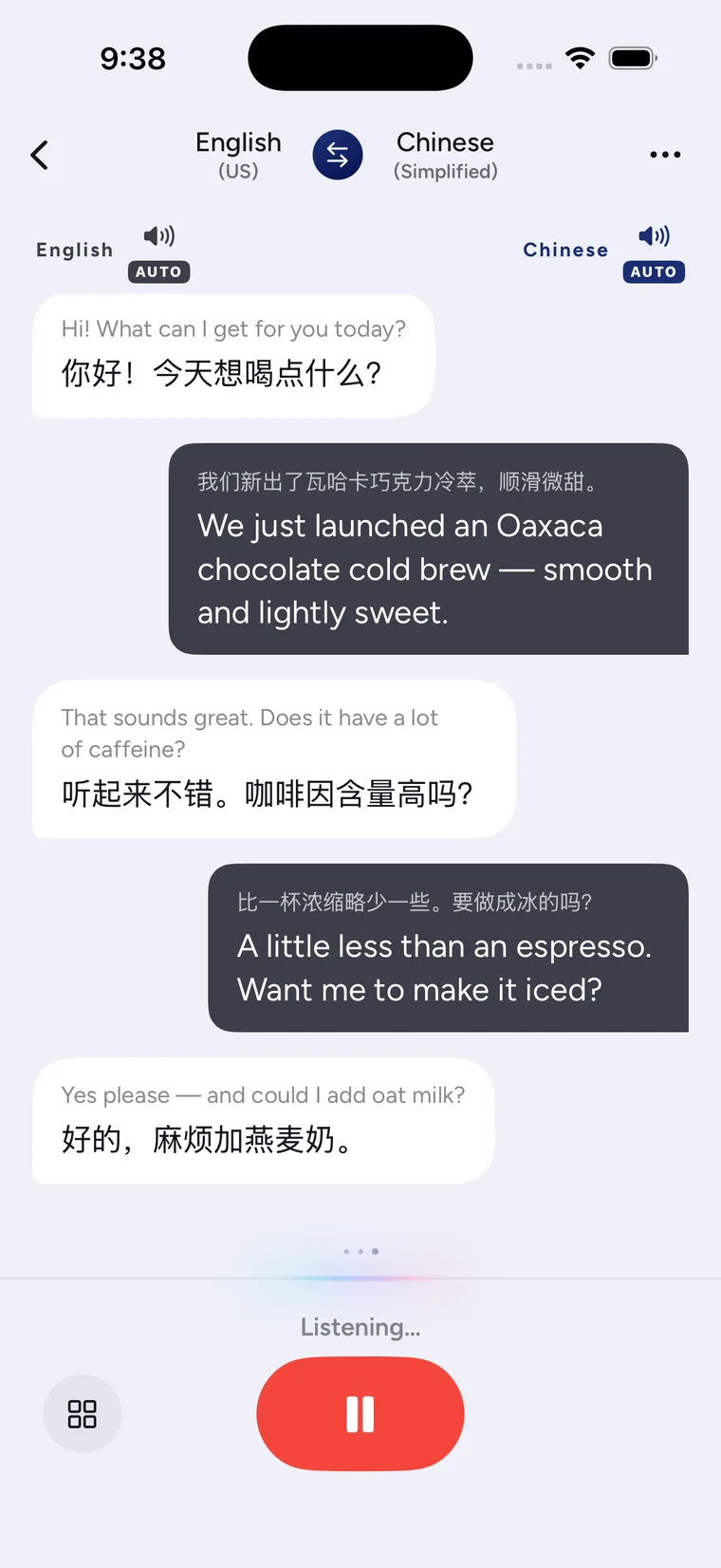
Earbuds for you, phone audio for the other person
Use wired or Bluetooth earbuds connected to your iPhone for a CapVoxa earphone conversation. When the other person speaks, hear your language in your earbuds. When you respond, the other person hears their translation from the phone. This can help you keep your attention on the person instead of looking down for every line.
The earbuds do not translate independently. The phone and online services still handle recognition, translation and playback. The screenshot above shows the real conversation interface; test the actual audio directions before beginning.
Connect and test
- Connect your earbuds to the iPhone and check that they can play sound.
- Open CapVoxa, select both languages and enter earphone conversation mode.
- Ask the other person to say a short sentence. Confirm that your translation reaches the earbuds.
- Say a sentence yourself. Confirm that the other person's translation plays through the phone speaker.
- Adjust volume and place the phone where its microphone can still hear the other speaker clearly.
See the earbud setup tutorial for troubleshooting and a full audio check.
What earbuds change, and what they do not
Earbuds help you listen to translated speech. They do not remove all background noise from the phone microphone. At a busy counter or restaurant, move closer to the speaker, take turns and break long requests into shorter sentences.
After a connection change, Bluetooth disconnection, call or network interruption, test both directions again. Supporting wired and Bluetooth connections does not mean every headset and operating-system combination has been individually tested. Translation requires internet access, so this is not offline earbud translation.
Common questions
Do I need dedicated translation earbuds?
CapVoxa uses earbuds connected to your iPhone; it does not require a particular translation hardware product. Check the results on your current devices before relying on the setup.
Does the other person need earbuds too?
Earphone conversation is designed for you to listen through earbuds while the other person hears the phone. For shared reading instead, use face-to-face mode.
Sources and product guidance
Get CapVoxa on the App Store
Internet required. Free allowances and subscription benefits follow the app.
Get CapVoxa on the App Store ↗