CapVoxa
Translate everyday conversations while travelling
Use conversation translation, earbuds and a shared screen for hotel check-in, ordering and asking directions. Prepare your connection and confirm key details.
Get CapVoxa on the App Store ↗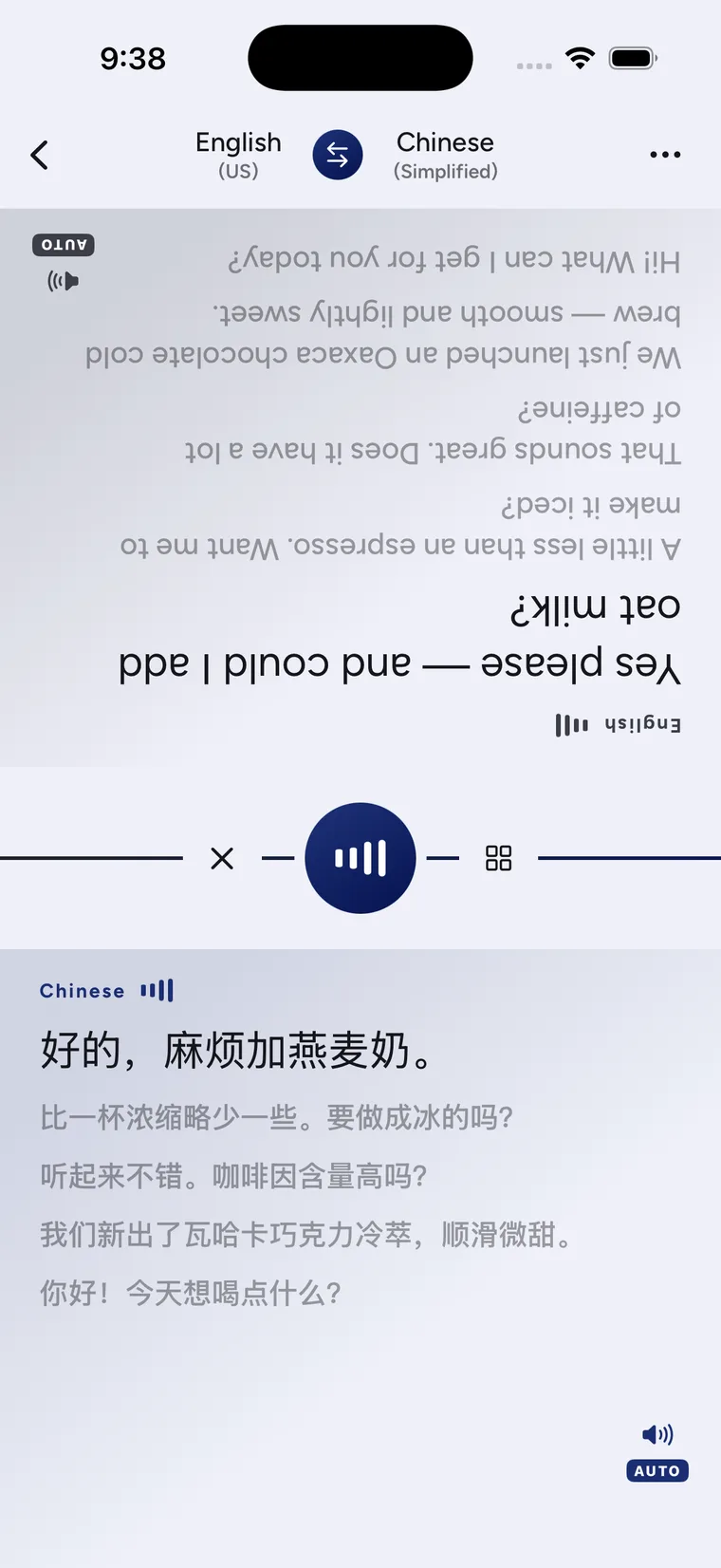
Prepare a short exchange before you leave
A useful travel translation often starts with one clear question and one confirmation: check-in time, a station exit or a table at a restaurant. CapVoxa can help you say the question and read the answer in your language.
Before travelling, confirm that the destination language is available in the app, allow the necessary permissions and arrange mobile data or Wi-Fi. Translation needs internet access; installing the app is not a substitute for planning connectivity. Keep hotel names, addresses and reservation details separately as text or screenshots.
At a hotel: confirm one thing at a time
Start with “I have a reservation,” then ask separately about check-in time or luggage storage. Have the desk write down room numbers, fees and times. Across a counter, face-to-face mode lets both people read the shared screen.
At a restaurant: keep requests easy to confirm
Ask separately about seating, dishes, portions and payment. Avoid giving a long sequence of changes and assuming they were all understood. For allergies or other safety-related restrictions, do not rely only on automatic translation: ask staff to verify the information clearly or seek appropriate assistance.
Asking directions: show the place name too
Show the destination on a map, then ask about the exit or boarding point. Use the written text to check directions, numbers and service names. If the surroundings are noisy, move somewhere safe and quieter before continuing. Earbuds cannot solve every microphone problem.
Pick a conversation setup
- For both people to hear translated speech, use live conversation.
- To hear your translation in earbuds while the other person hears the phone, test earbud translation first.
- If sound would be disruptive, take turns reading the shared screen.
When the connection or recognition fails
Check internet access, then look at the recognized original. Repeat with a shorter sentence if needed. Switch to written information or ask for local help when necessary. Do not wait for an app to recover during an emergency. For ordinary setup questions, see the user guide.
Sources and product guidance
Get CapVoxa on the App Store
Internet required. Free allowances and subscription benefits follow the app.
Get CapVoxa on the App Store ↗