CapVoxa
Real-time voice translation for a two-way conversation
Place an iPhone between speakers, read originals alongside translations and enable spoken playback. Learn how CapVoxa works and what to check first.
Get CapVoxa on the App Store ↗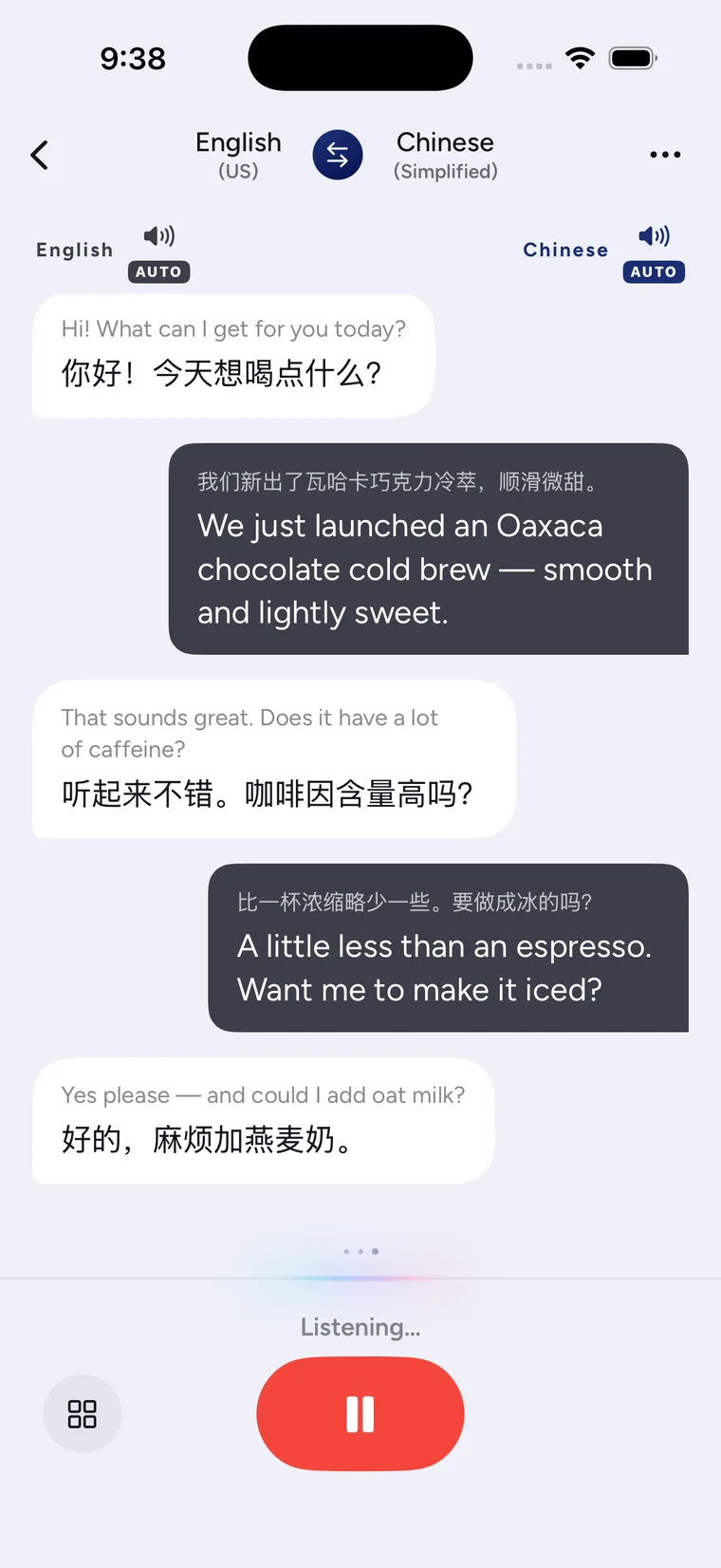
One phone for a conversation that goes both ways
CapVoxa places recognized speech beside its translation. Read the screen or enable automatic playback so both people can hear the translated lines. It supports the questions, clarifications and replies that make up an everyday exchange, rather than only a single phrase.
At a station, for example, ask where to board, listen to the answer, then confirm the platform and departure time. Keep the written original and translation available instead of relying on a sentence you heard once.
Start a conversation
- Open Conversation on your iPhone and select your language and the other person's language.
- Allow the microphone and speech permissions when prompted, and check your internet connection.
- Place the phone where it can hear both speakers. Each person should try a short sentence first.
- Enable automatic playback when you want spoken translations. Read the bilingual text when a quieter exchange is more appropriate.
- Confirm names, times, amounts and addresses. Ask the other person to type or write a detail when necessary.
Follow the step-by-step conversation tutorial for a complete setup check.
Choose how to listen and read
When sitting across a table, use face-to-face mode so each person reads the screen the right way up. For private listening on your side, review the audio setup for earbud translation.
Know the conditions before relying on it
Translation requires an internet connection; this is not an offline translator. Background noise, overlapping voices, accents and network changes can affect recognition and output. Check the recognized original first. If it is wrong, repeat or rephrase the sentence before trusting its translation. Free allowances and paid benefits follow the current information in the app.
Common questions
Does the other person need to install CapVoxa?
An in-person conversation on one shared iPhone does not require a second installation. The other person can read the screen or listen to the phone.
Is every sentence guaranteed to be accurate?
No. Translation is a communication aid. Use appropriate professional help for contracts, emergencies and other high-stakes situations, and independently confirm important details.
Sources and product guidance
Get CapVoxa on the App Store
Internet required. Free allowances and subscription benefits follow the app.
Get CapVoxa on the App Store ↗