Capture every voice.
Translate every conversation.

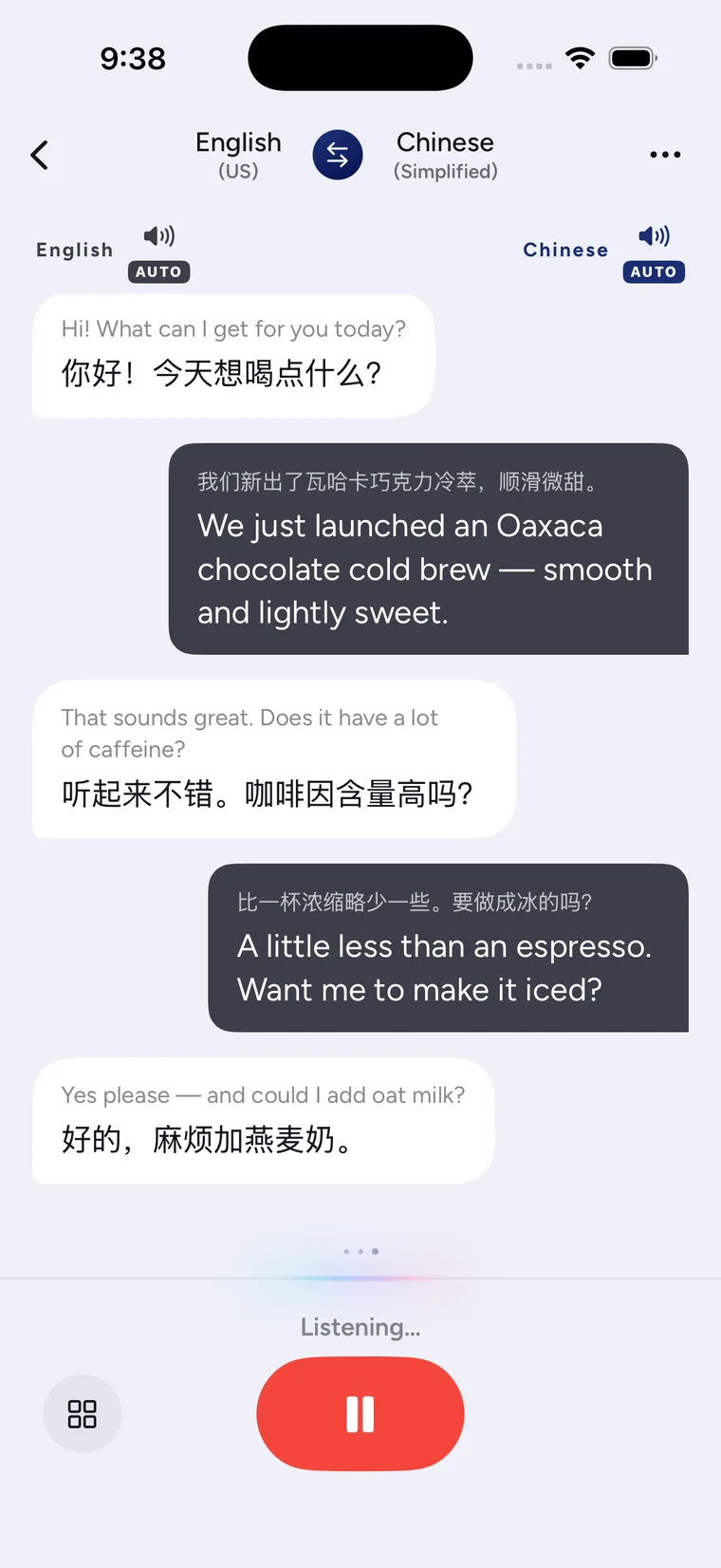
Handle community services, housing and work in a new city without handing every important conversation to someone else. Put the phone between you and speak naturally, with real-time spoken translation in 42 languages.

42 languages
Real-time speech and text translation across the languages you actually travel, work and watch in.
Features

Built for the whole conversation

From live translation in your earbuds to face-to-face tables, foreign video, street signs, everyday objects and comics — one app turns a new city into language you can hear and read.

Hear the translation,
stay in the conversation

Connect your own wireless or wired earbuds and CapVoxa translates the other person live into your language, privately in your ear. In earphone conversation mode, you listen through your earbuds while they hear their translation from the phone.

  • Listen live — their translation goes only to your earbuds
  • Two-way conversation — earbuds for you, phone audio for them
  • Clearer in restaurants, stations and busy service halls

Face to face,
each in your own language

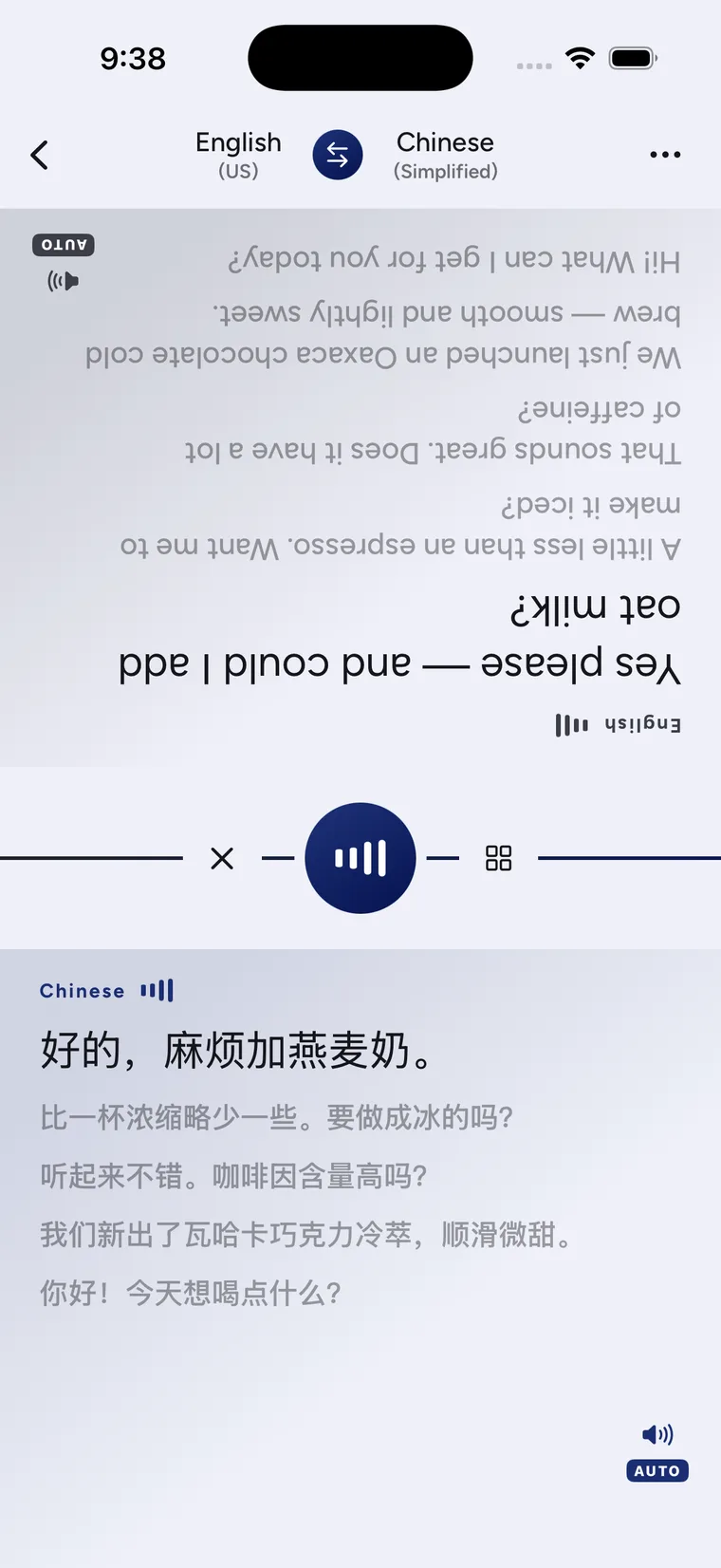
Lay the phone flat between you and the screen splits in two, the far half rotated for whoever sits opposite. You each read your own way up; nobody picks the phone up and spins it around.

  • Four layouts — chat, table, same-side and card
  • Every line keeps its original above the translation
  • Swap the language direction with one tap

It becomes a note —
audio and all

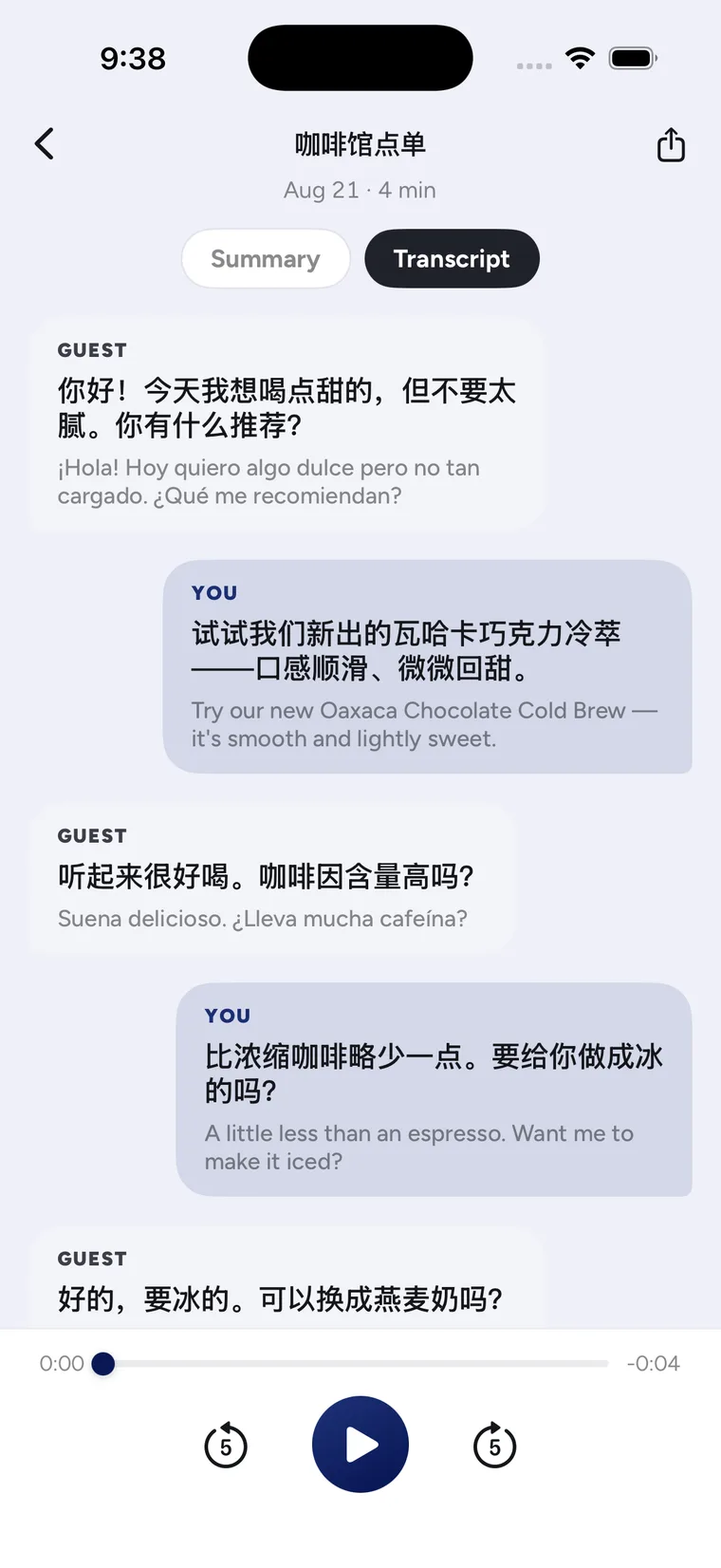
Save any conversation and it comes back as a note: an AI-written title and recap, the follow-ups worth acting on, the full bilingual transcript, and the recording of the conversation itself.

  • AI recap — what was said, in a few sentences
  • Follow-ups — the things worth acting on, pulled out
  • Full bilingual transcript with audio playback

Floating subtitles
over any app

A foreign stream, an online lecture, a video call — CapVoxa listens to whatever your screen is playing and floats live captions on top, and keeps going when you switch apps.

  • Reads system audio — whatever is playing, in any app
  • Original, translated or both on screen
  • Keeps running in the background

Point at a sign,
read it line by line

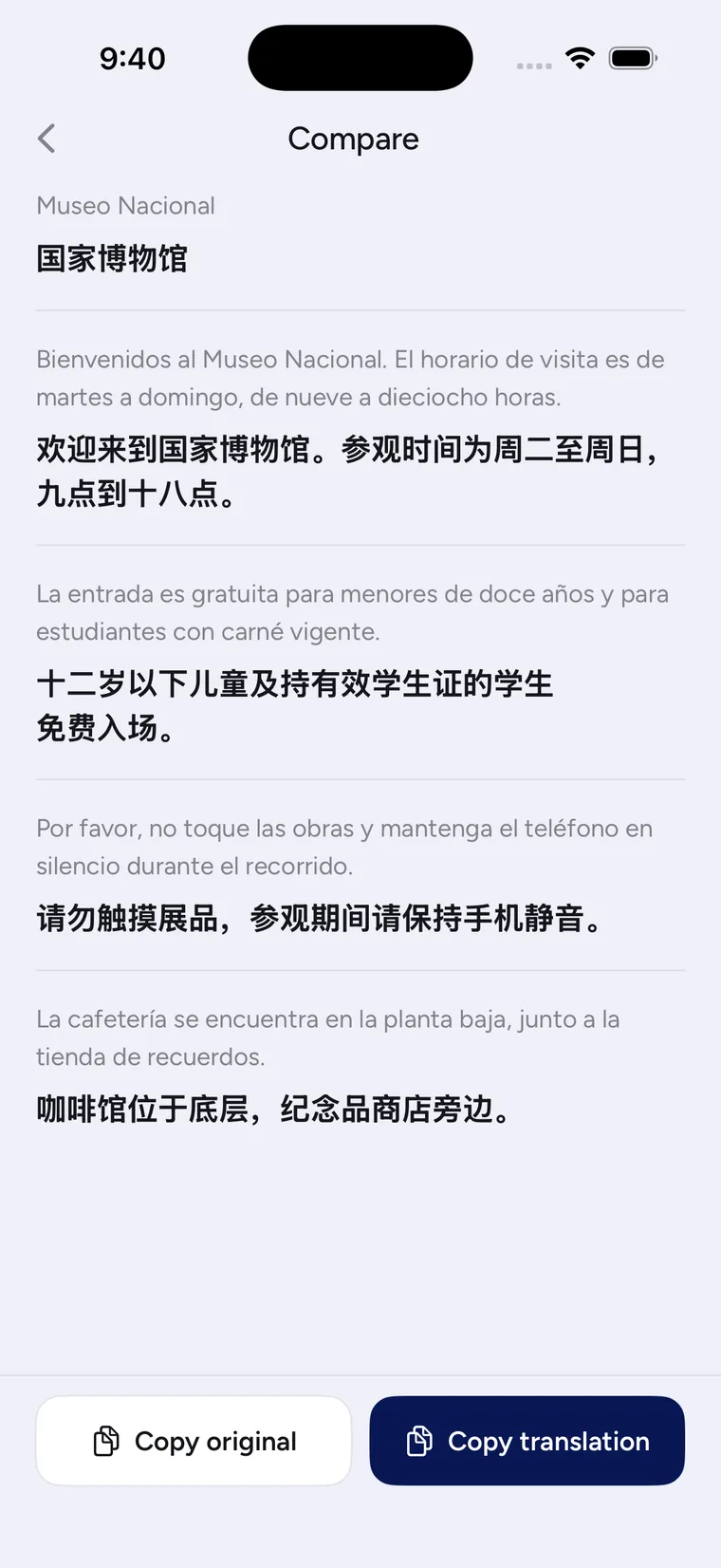
Hold the phone steady and it fires by itself, then lines every recognised line up against its translation — so you can always check the original instead of trusting one undifferentiated block of text.

  • Fires when steady — no shutter button
  • Line-by-line compare against the original
  • Import from Photos, save the translation back

Snap an object,
learn its name both ways

When you meet something unfamiliar, snap it or choose a photo. CapVoxa lifts the subject, names it in both languages, and reads the word aloud.

  • Clean sticker — lift the subject, or recognize the whole photo when needed
  • Bilingual word card — name, translation and read-aloud audio in one place
  • Save the sticker, or add the result to notes
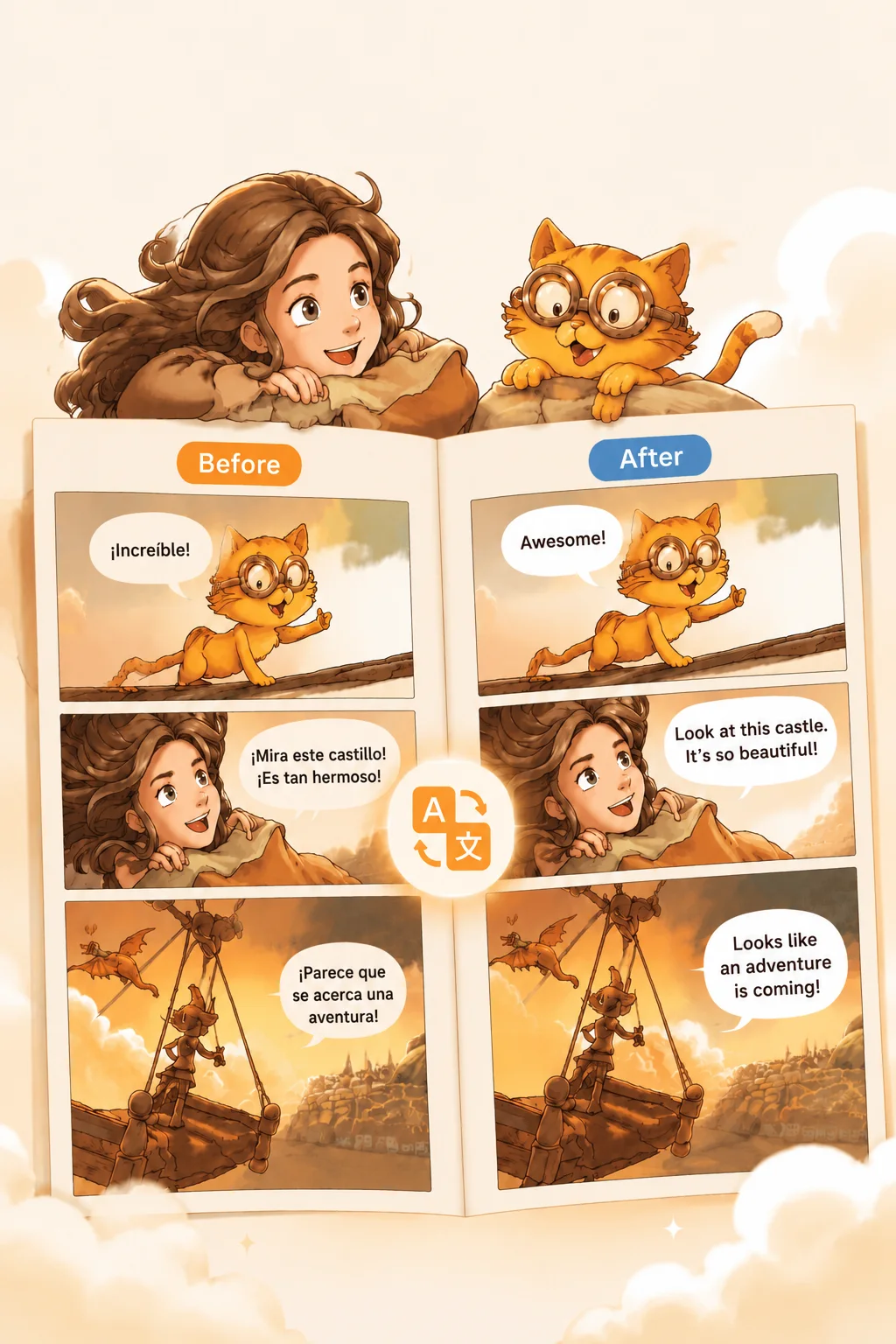
Comic translation before and after: the same three panels, speech bubbles in the original language on the left and translated on the right, with the artwork untouched.

Comics stay comics,
bubble by bubble

Import a comic and CapVoxa translates each speech bubble where it sits, leaving the art alone. Its built-in browser does the same for comics you read on the web.

  • Translated in place — the words change, the art does not
  • Imports CBZ, CBR, RAR and PDF
  • Web translate — the same, for comics online
Compare

What other translation apps leave out

Most translation apps translate a sentence at a time. CapVoxa is built for the whole conversation.

What other translation apps leave outCapVoxaOther apps
Two-way live conversationYesOne at a time
Face-to-face table modeYesNo
Speaks both sides aloudYesSometimes
Live captions & subtitlesYesNo
Camera translateYesSome
AI notes & summariesYesNo
Tuned to your fieldYesNo
Languages42Varies
Use cases

Made for the moments you actually meet the world

Travel

Order, ask, haggle — anywhere.

Set the phone on the counter and have a real back-and-forth, even when you don't share a word.

Business

Meetings without an interpreter

Follow every point, and leave with a bilingual recap and follow-ups.

Streaming

Foreign video, live captions

Float a translated caption bar over any stream, lecture or call.

Healthcare

Describe symptoms, follow instructions

Pick the medical field and the wording leans clinical — one of 13 fields to choose from.

Reading

Read comics in the original

Bubble-by-bubble translation that leaves the art alone.

FAQ

Questions, answered

CapVoxa is available on the App Store for iPhone. Download it and start using it without creating an account.
Yes. Connect wireless or wired earbuds and CapVoxa offers Listen and Conversation modes: Listen sends the other person’s translation only to your earbuds; Conversation lets you listen privately while the translation meant for them plays from the phone. Without earbuds, speaker and text-only modes remain available.
Yes, it needs a connection: speech recognition and translation both run in the cloud, and there is no offline mode. Recognition streams as you speak, so text appears while you are still talking and the translation follows the moment you finish.
42, including Chinese (Simplified, Traditional and Cantonese), English, Japanese, Korean, Spanish, French, German, Italian, Portuguese, Russian, Ukrainian, Dutch, Polish, Turkish, Thai, Vietnamese, Indonesian, Malay, Hindi and Filipino. The app interface itself comes in 9 languages. Right-to-left languages such as Arabic and Hebrew are not supported yet.
Any app. It translates the system audio your screen is playing, so it covers video, live streams, online lectures and video calls alike — the captions float on top and keep running when you switch apps. This one requires a subscription.
Honestly: audio and text go to the cloud to be translated — that is unavoidable for real-time translation today. But CapVoxa has no sign-up and no account, your notes and transcripts live on your own phone for you to keep or delete, and every session asks whether you want to save it before anything is written down at all.

Say the next thing
without wondering if it lands

CapVoxa is on the App Store. Download it and start — no account required.